
On June 21st, Spring will have finally sprung its last and Summer will begin. For those CLNC® consultants who are still trying to get into the Spring spirit and sweep out the old in favor of the new (computer or at least new productivity software), here are a few recommendations.
The basis of any computer is its operating system. Any Certified Legal Nurse Consultant still running Windows XP in their legal nurse consulting business should move up to Windows 7. Win7 is more stable, faster and is fully supported (for now) while Windows XP support ends on April 8, 2014. That sounds like it’s far away but trust me, it’ll be here before you know it. With that in mind, I recommend Windows® 7 Home Premium edition (with current service packs).
Productivity software is a different story. Before you spend your tax refund on a suite of new software, consider that you can start your CLNC® business with only the following:
- Adobe® Acrobat® Reader (free from Adobe.com) – for reading PDF files. or;
- Adobe Acrobat XI or later full version – for creating and editing PDF files. For Office 2007, 2010 and 2013 products, Microsoft® has a free plug-in that will save in PDF (portable document format). If you’re too worried by Adobe’s security issues, a free PDF writer, such as CutePDF can be used in place of Acrobat.
- Microsoft Office 2010 (or 2013) Home and Business version (with current service packs). You can buy 1 user – 2 pc versions which contain:
- Word – The most commonly used word processing program. Used to create everything from simple letters to complex reports.
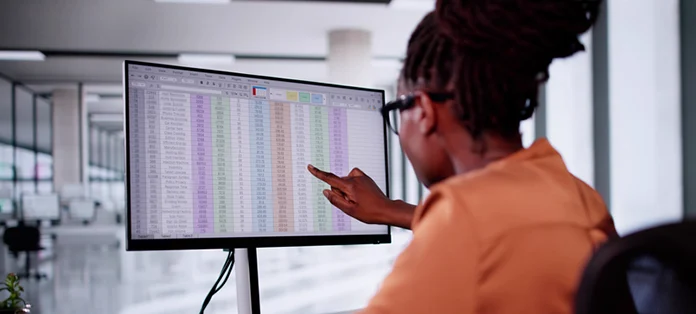
- Excel® – A spreadsheet program. Used to create billing records and to track time.
- PowerPoint® – Used to create presentations.
- Outlook® – Used for email and contact management.
- QuickBooks Pro® 2013 or later – Small business financial tools including time tracking, invoicing and check writing.
- A web browser of your choice. I recommend the most current version of any of:
- Internet Explorer (will come with Win7); or
- Mozilla Firefox; or
- Google Chrome browser.
That’s enough software to get you started and allow you to research cases for your attorney-clients, write reports and keep track of your billing. Remember to always update your software after installation and turn on the automatic updates, if offered.
 Keep on techin’,
Tom
P.S. Comment and share your personal productivity software must-haves.
P.P.S. Disclaimer: These recommendations are guidelines only. LegalNurse.com does not specifically endorse or recommend any particular equipment or manufacturer. We do not guarantee any product or service offered by any vendor mentioned.